
Hello developers, Have you ever think how the code in big companies like Facebook, Google, Adobe, and many more are managed or how the different team members of an organization works together to make the scalable product so that code conflict will not occur.
And the answer is that they are using git to manage the code and files. So, in this article, we will be covered what git is, it's features and some basic commands of git.
What is Git
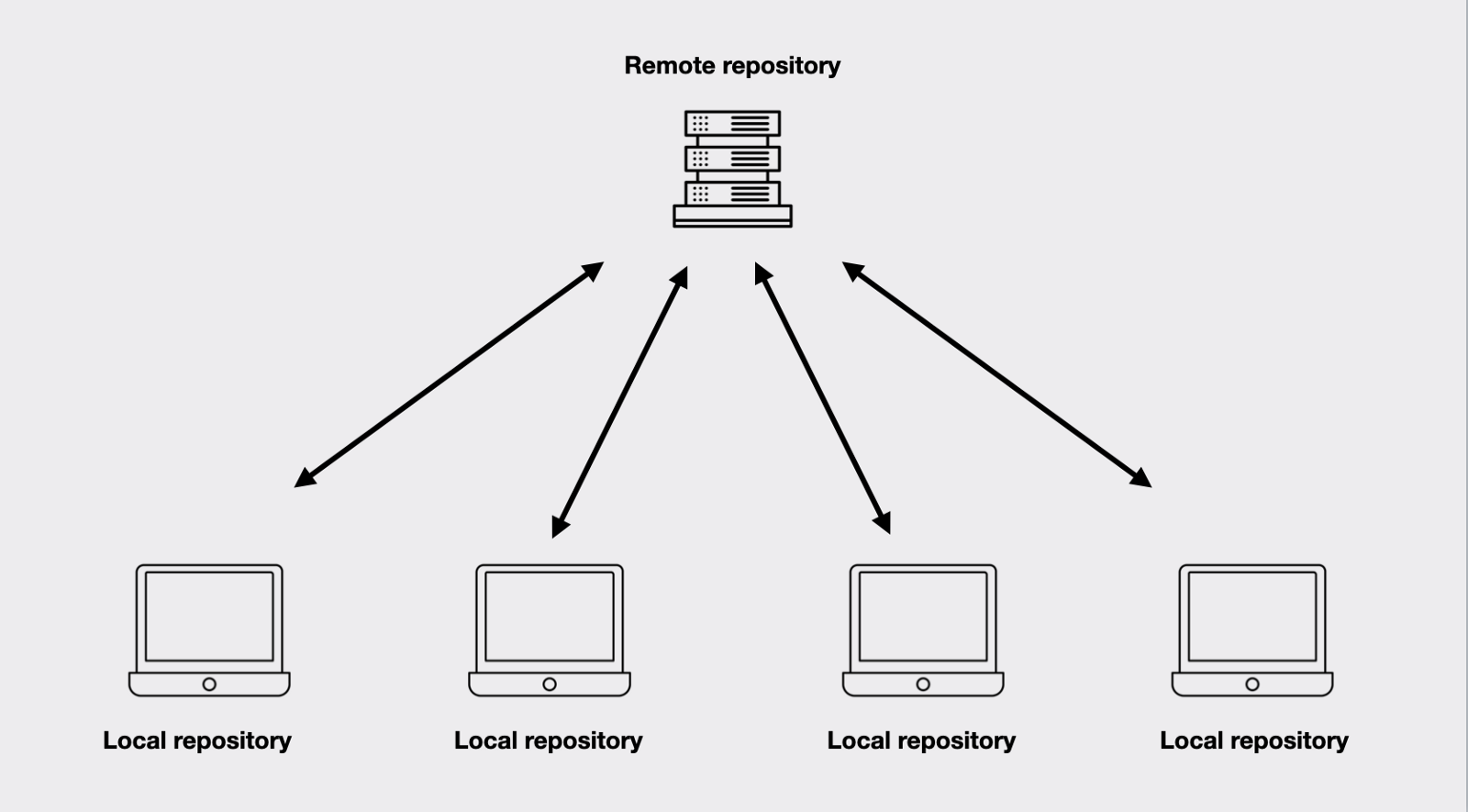
Git is the distributed version control system. It means every organization member has a copy of the repository/project. git saves the changes, that developers made in the files, for example, many developers work on a different section of a project like the front-end team, backend team, etc. so, any change happens in any section of the project, git will automatically save without losing any data.
Git can also help you with this, If you are working on a project over time and you want to keep track of which changes were done by whom and when those changes were made and also this becomes more important if any bug is found in the file.
Git allows us to push or upload our code and files from a local repository to a remote repository like github, gitlab etc. so if our system will crash then the data will not lose
Version control
Version control is the management of changes to documents, computer programs, and other collections of information.
These changes are usually termed/known as 'version'
There are many version control system tools
- Git (most popular)
- Subversion control system (SVN)
- Mercurial
- CVS
Features of git
- Allows distributed development of code
- Compatible with cross-platform
- Git has the branching concept
- lightweight
- Open source
- Reliable & Secure
Git basic commands
git config
//set name and email of user

git config --global user.name "Your name"
git config --global user.email "Youremail@gmail.com"

//check name and email of user

git config --global user.name
git config --global user.email
git version
It will show the version of git
git status
git init
It initialize the git in the repository/project
//Initialize the git environemnt
git init [project-name]
git clone
It will clone the project on your machine
git clone [project-url]
git status
It display the list of files added into staging area
git status
git add
Add the file to staging area
git add [file-name]  //git add home.html

git add .  //for all file
git diff
Show difference between working directory and staging area
git diff
git branch
It will display the list of branches present in the project
git branch  //list of all local branches

git branch -a  //list of both local and remote branches
Create new branch
git branch [branch-name]
Switch from one branch to another branch
git checkout [branch-name]

//branch-name = Name of the branch where you want to switch
git commit
Added changes to staging area. every commit must have a message
git commit [file-name] -m "your commit message"   // git commit home.html -m "first commit"

git commit -a                    //for all files
// git commit -a -m "first commit"
// -m flag show the commit message
git merge
Merge code from one branch to another branch
git merge [branch-name]

[branch-name] = Name of the branch whose code you want to merge
git push
Push your files/code on remote repository (like github, gitlab etc)
git push -u [remote] [branch-name]
So, that's all In this article we covered what is git, features of git, version control system and some basic commands of git. I hope this article will help you to improve your skill regarding git.
Quote of the day
"Code never lies, Comments sometimes Do" - Ron Jefferies

